
How do I switch between IPAs?
The IPA Toggle feature lets you switch between IPAs without needing multiple logins, all from one email account.
1
Log in to the Provider Portal
Select your IPA, then enter your Email Address and Password to log in.
2
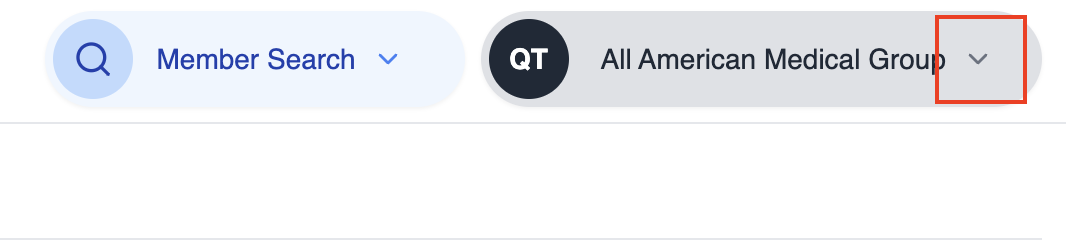
Locate your current IPA
Once logged in, navigate to the upper right of the page. You will see the name of the IPA you are currently accessing.
3
Open the IPA selection window
Click the current IPA name to open a modal window where you can switch between IPAs. In the modal, select “Change IPA”

4
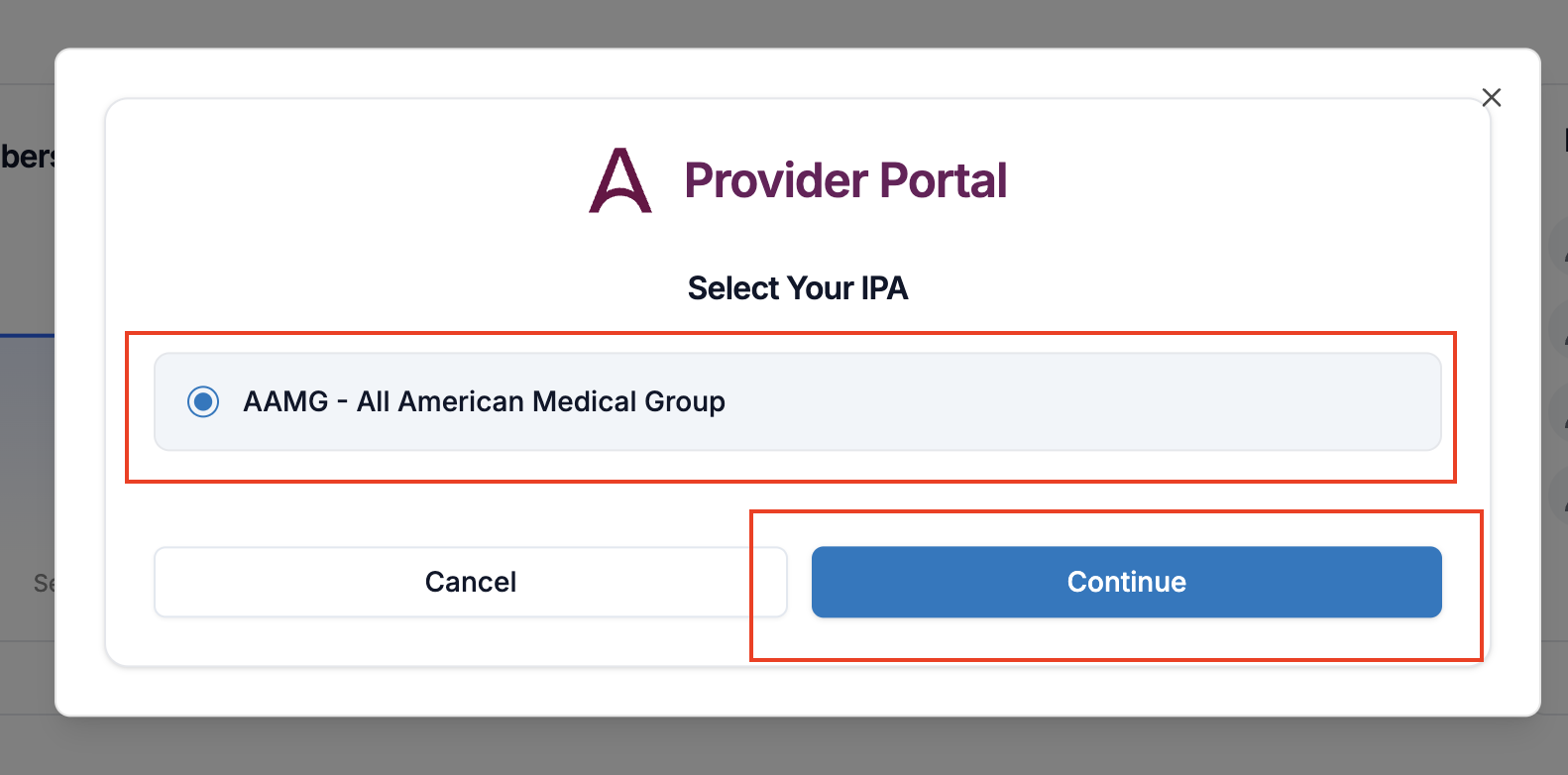
Choose your IPA
In the modal, select the IPA you wish to switch to from the dropdown list of all IPAs you are authorized to access and click continue.
If you encounter any issues or have questions, email us at portal.inquiries@astranahealth.com — our team is ready to help!
Was this helpful?
On this page
1
Log in to the Provider Portal
2
Locate your current IPA
3
Open the IPA selection window
4
Choose your IPA
Still need help?
Our Provider Relations team can help with authorization questions and complex cases.
Contact Provider Relations